Skip to content

New guideModernizing a legacy system without stopping the business

02 — Enterprise Web Applications

Web applications your teams can depend on every day.

Most business software now lives in the browser. We build web applications that people use for hours a day — admin systems, customer portals, dashboards and multi-role platforms — with the performance, access control and reliability that daily operational use demands.

Capabilities

What this service covers.

  1. 01

    Multi-role platforms

    Separate experiences for administrators, staff, partners and customers on one codebase.

  2. 02

    Data-heavy interfaces

    Tables, filters, bulk actions and exports that stay responsive with large datasets.

  3. 03

    API design

    REST APIs with clear contracts, versioning and documentation for internal and external consumers.

  4. 04

    Real-time updates

    Live status, notifications and shared views using subscriptions or WebSockets where they add value.

  5. 05

    Performance engineering

    Server rendering, caching and query optimisation for fast first loads and fast interactions.

  6. 06

    Accessibility

    Keyboard support, semantic markup and contrast standards built in, not retrofitted.

What We Build

Web Applications solutions we deliver.

Dashboards, portals and platforms that stay fast as usage grows.

Example Web Applications interface built by Eryon
  • 01

    Admin dashboards

    Operational control panels with role-based views, filters, bulk actions and exports.

  • 02

    Customer portals

    Accounts, orders, invoices and support in one secure self-service web app.

  • 03

    Vendor and supplier portals

    Onboarding, purchase orders, invoices and communication with suppliers.

  • 04

    Booking and reservation platforms

    Availability, calendars, reminders and online payments.

  • 05

    Marketplace platforms

    Multi-seller listings, commissions, payouts and dispute handling.

  • 06

    Reporting and analytics consoles

    Live business metrics built on your own data.

  • 07

    Internal business applications

    Web tools that replace spreadsheets and disconnected apps.

  • 08

    Corporate and catalogue websites

    Fast, search-friendly sites connected to your enquiry and sales process.

Use Cases

When clients bring us in.

Operations dashboard

A single screen where a team sees and acts on the day's work.

Self-service portal

Customers or partners place orders, track status and download documents without calling you.

Multi-branch platform

One system serving several locations with local data and a head-office view.

Public catalogue with lead capture

A fast, search-friendly website connected to your sales process.

Where It's Used

Problems we solve, sector by sector.

  • Real estate

    The problem
    Listings, leads and site visits are tracked in different tools.
    What we build
    A web CRM and listing portal with live inventory status and lead assignment.
  • Healthcare

    The problem
    Staff, appointments and records sit in systems that don't talk to each other.
    What we build
    Role-based web applications for scheduling, staff management and patient-facing portals.
  • Education

    The problem
    Admissions, attendance and fees are handled in separate software.
    What we build
    A school management web app with parent, teacher and admin dashboards.
  • Manufacturing

    The problem
    Production, inventory and sales have no shared view.
    What we build
    Web portals linking stock, orders and dispatch in real time.
  • Logistics

    The problem
    Shipment status is chased by phone and email.
    What we build
    Tracking dashboards and customer portals fed by live operational data.
  • Professional services

    The problem
    Client work and documents are managed through inboxes.
    What we build
    Client portals with status tracking, document exchange and approvals.

Recognise your situation here?

Talk to an engineer

How We Deliver

Delivery you can plan around.

Design and engineering together

Interfaces are designed with real data volumes and edge cases in mind.

Sprint demos on staging

You review working software on a staging environment every week.

Automated checks

Type checks, tests and linting run on every change before merge.

Performance budget

Page weight and response times are tracked against agreed targets.

Deliverables

  • UX flows and interface designs
  • Web application and API
  • API documentation
  • CI/CD pipeline
  • Monitoring and error tracking setup

Technology Stack

Tools we use for this work.

  • React
  • Next.js
  • TypeScript
  • Tailwind CSS
  • Node.js
  • Spring Boot
  • FastAPI
  • PostgreSQL
  • Redis
  • WebSockets

Security & Scalability

  • Stateless application tier

    Application servers can be added behind a load balancer without code changes.

  • Caching strategy

    Static generation, CDN caching and Redis used where data freshness allows.

  • Role-based access control

    Permissions checked on every API request, with audit trails for sensitive actions.

  • Secure defaults

    Input validation, CSRF and XSS protection, secure headers and secrets kept out of code.

Process

From first workshop to production.

  1. 01 · Discover

    Workshops with the people who run the process today. We map how work actually moves, where it stalls and what the system must never get wrong.

  2. 02 · Define

    A written scope: users and roles, core workflows, integrations, non-functional requirements and a release plan you can hold us to.

  3. 03 · Architect

    Data model, service boundaries, hosting, security model and the trade-offs behind each choice — reviewed with your team before code starts.

  4. 04 · Build

    Short sprints with a working demo every week. Code review on every change, automated tests on the paths that carry money or data.

  5. 05 · Validate

    Functional QA, role-by-role acceptance, performance checks and a security pass before anything reaches production users.

  6. 06 · Scale

    Staged rollout, monitoring and a support window. Then the backlog of improvements that only real usage reveals.

Related Case Studies

Where we've done this before.

Healthcare · Web

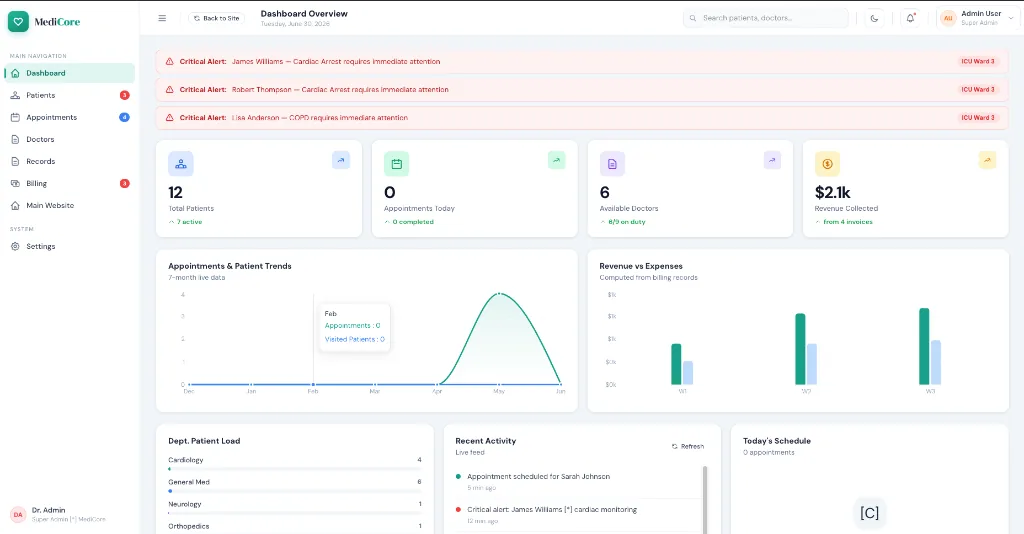
Hospital HRMS

Workforce management for hospital staff

Challenge
Hospital HR ran across fragmented systems, causing shift conflicts and slow communication with clinical staff.
Solution
A centralized HRMS with role-based access, rota planning, attendance, leave and document management built for clinical shift patterns.
Outcome
Shifts, leave, attendance and staff records in one secure system instead of several disconnected tools.
Technology
  • Next.js
  • Spring Boot
  • PostgreSQL
  • MongoDB
  • Redis
  • Docker
Read the case study

Fitness & Wellness · Web

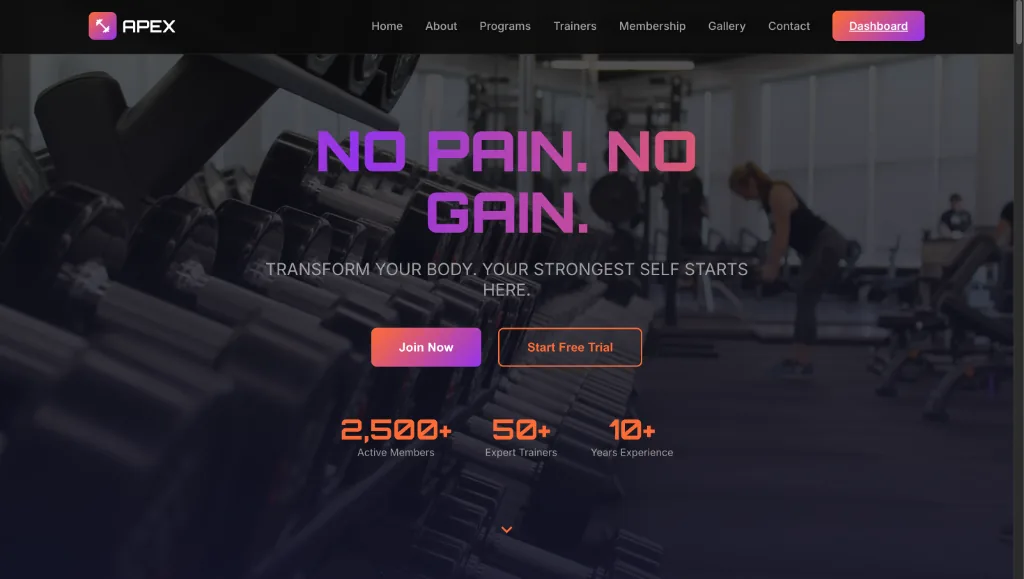
Gym Operations Dashboard

Membership, billing and check-in platform

Challenge
Fitness centres were reconciling payments and attendance by hand in desktop-bound software.
Solution
A cloud admin panel with recurring billing through Stripe and real-time check-in sync.
Outcome
Memberships, recurring billing and check-ins in one cloud dashboard usable from a tablet on the gym floor.
Technology
  • Next.js
  • React
  • Supabase
  • PostgreSQL
  • Stripe
  • Tailwind CSS
Read the case study

Real Estate · Web

Realist CRM

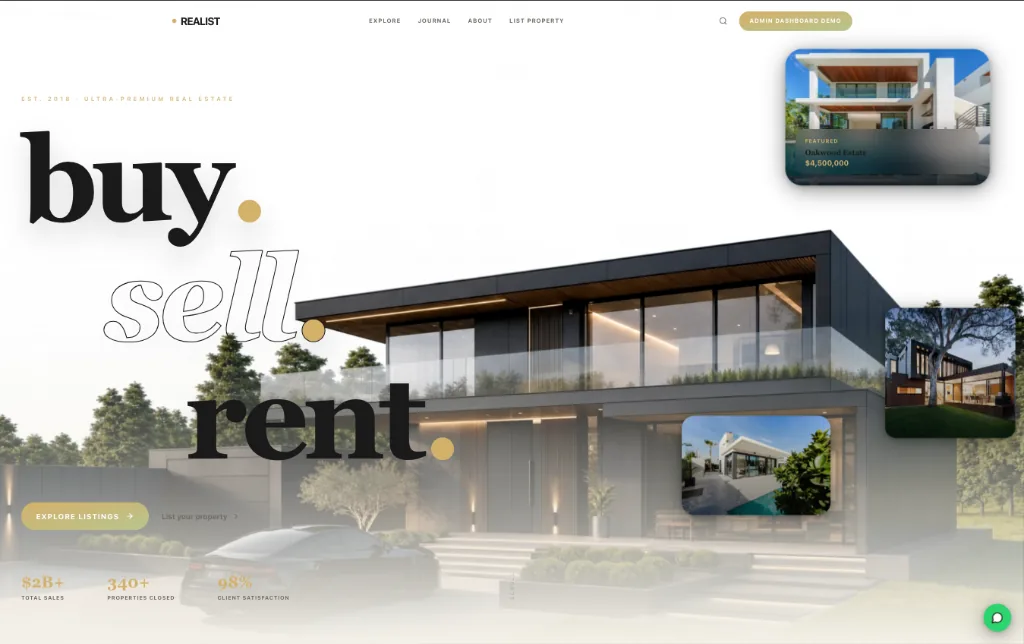
Property and client CRM for real estate agencies

Challenge
Agents were managing exclusive listings and demanding clients across spreadsheets, messages and memory.
Solution
A real estate CRM with geospatial property search, client pipelines and automated follow-up messaging.
Outcome
Listings, clients and follow-ups managed in one CRM with map-based property search and automated messages.
Technology
  • React
  • Python
  • FastAPI
  • PostgreSQL
  • Mapbox
  • Twilio
Read the case study

FAQs

Common questions.

Which framework do you use for web applications?

Most front ends are React with Next.js and TypeScript. Back ends are Node.js, Java Spring Boot or Python FastAPI depending on your team and the problem.

Can the application work on tablets and phones?

Yes. We design responsive layouts and, where staff work on the move, dedicated tablet or mobile views.

Do you build the API as well?

Yes. We build the full stack: front end, API, database and background jobs.

Can we extend the application ourselves later?

Yes. We use mainstream frameworks, write documentation and can hand over to your in-house team.

How much does web application development cost in India?

Cost depends on the number of user roles, workflows, integrations and the level of polish required. After a short discovery we provide a written estimate for a clearly scoped first release, so the budget is agreed before development starts.

Web application or website — what's the difference?

A website mainly presents information. A web application lets users log in, work with data and complete tasks — placing orders, approving requests, managing records. Many projects include both.

Do you build progressive web apps (PWAs)?

Yes. A PWA can be installed on phones, work with limited connectivity and send notifications, which suits field staff who don't need a full native app.

Will our web application be SEO-friendly?

Public pages are server-rendered with clean URLs, metadata and structured data so search engines can index them. Logged-in areas are kept out of search results.

Planning a project
like this?

Tell us what the system needs to do. We'll reply within 24 hours with questions, not a sales script.